Real-world examples

Real gaming setups from gamers using the IntegraMouse AIR, with photos and first-hand accounts - get inspired.

Want to share your own setup here? Get in touch with us – we'd love to hear from you.

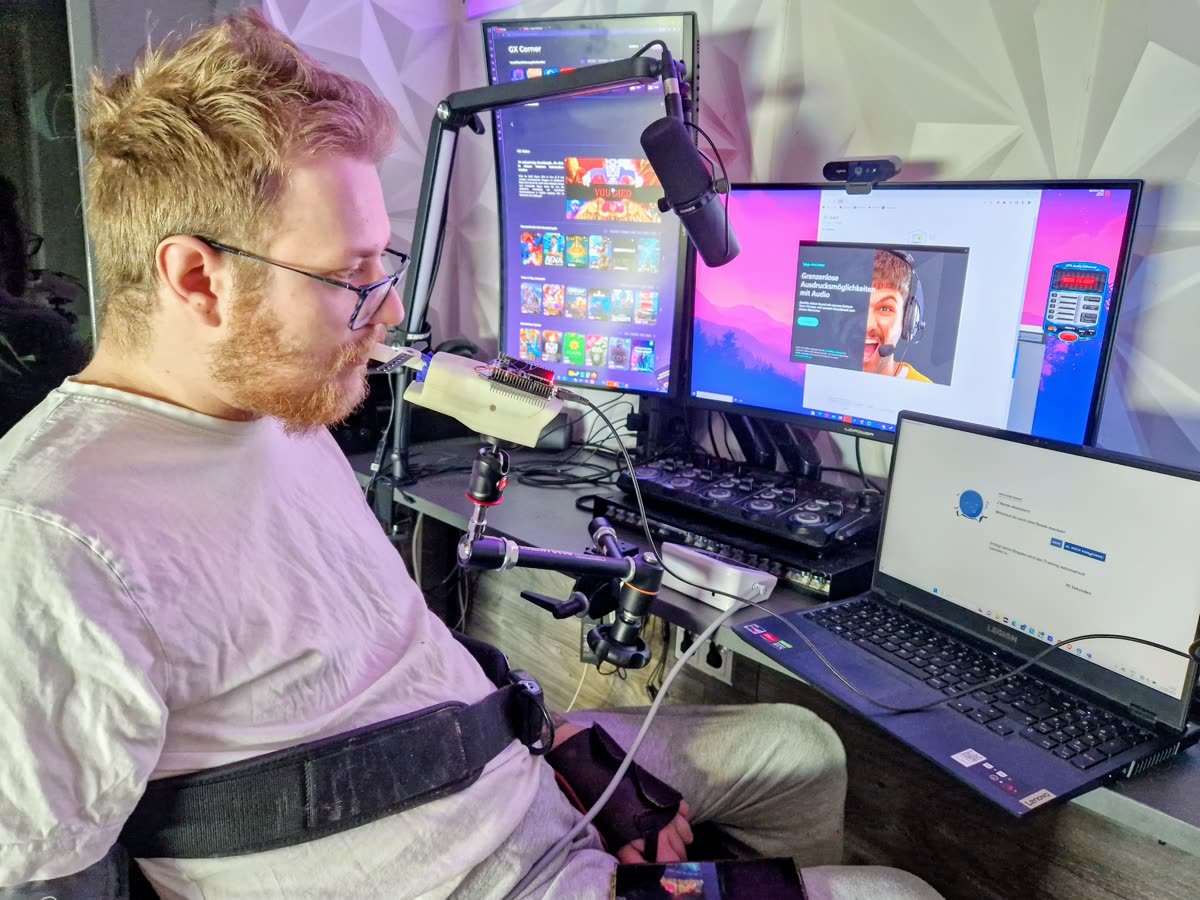
Florian sits in front of several screens at his gaming and streaming setup with a microphone, laptop and the IntegraMouse AIR.

Florian

YouTube & TikTok: „Floorolz“ · PC setup

Florian runs a YouTube and TikTok channel called “Floorolz”, focused on music and gaming. He’s a passionate gamer and is already especially looking forward to GTA VI, for which he’s getting himself a PlayStation specifically.

He’s just finished God of War Ragnarök – on “Hard” difficulty! A demanding game with plenty of combat where reaction speed and timing are everything.

His PC setup: the IntegraMouse AIR runs in keyboard mode with a WASD layout for moving his character. Left click (sip) opens the menu for choosing abilities, right click (puff) is used for blocking. For camera control, Florian uses a mousepad, which he operates with the knuckles of his right hand. He handles the remaining functions with his keyboard, which he operates with the knuckle of his little finger. His keyboard is programmable, so he can position the keys he needs wherever he can reach them comfortably.

Next up on his list: Spider-Man 2!
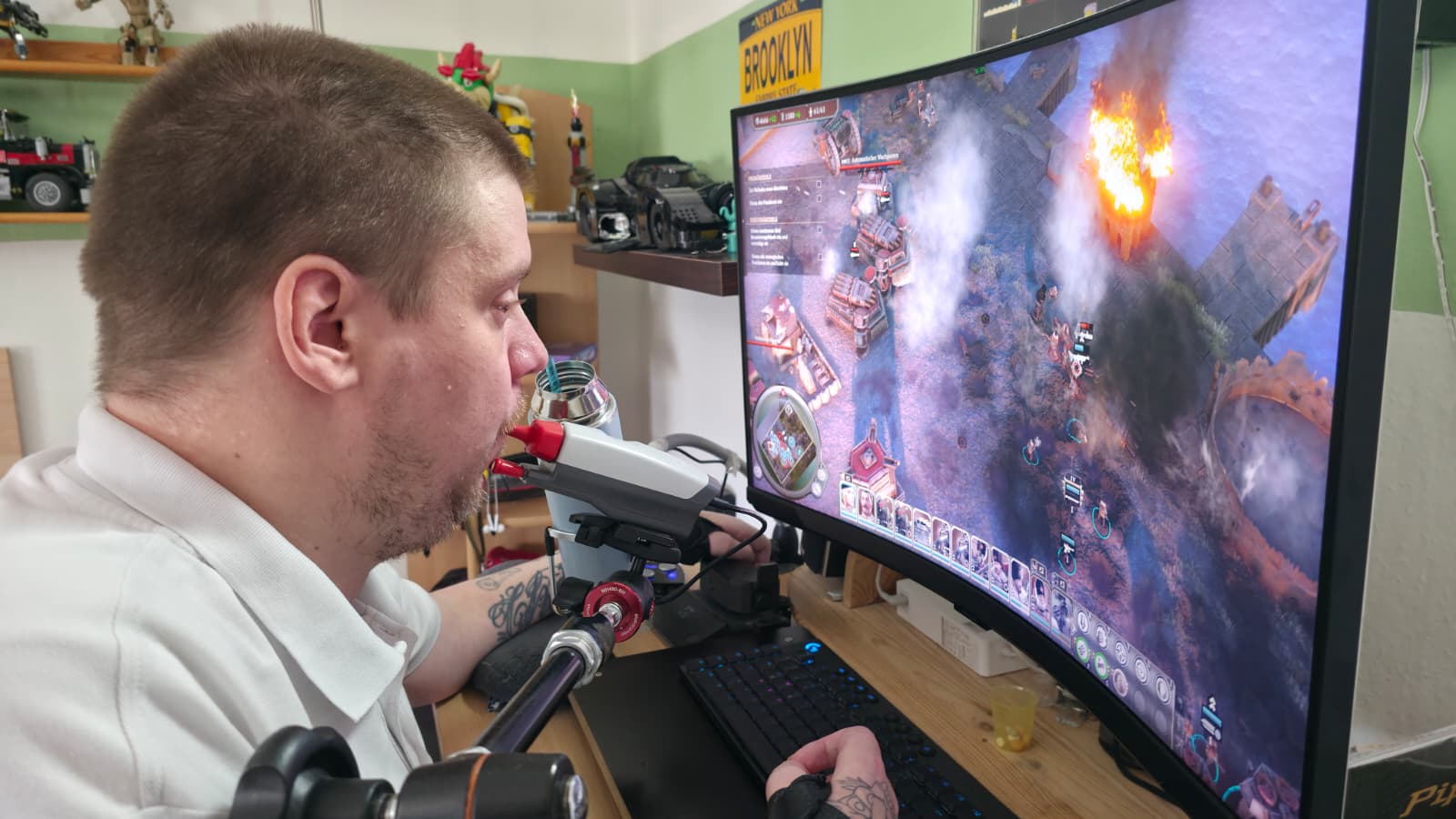
Sven sits in front of a curved monitor, playing a strategy game with the IntegraMouse AIR.

Sven

Power gamer · PC & Xbox setup

Sven is a power gamer who combines several input devices on his PC: he uses the IntegraMouse AIR as a mouse, while a Movemaster, which he operates with his left hand, handles movement (WASD). He freely assigns all remaining functions to his keyboard, which he operates with the knuckle of his right little finger.

He’s most recently played Indiana Jones and the Great Circle, 007 First Light, Lego Batman: Legacy of the Dark Knight and Assassin’s Creed Black Flag Resynced, and Battlefield 6 is currently on the list too. He’s especially looking forward to GTA VI.

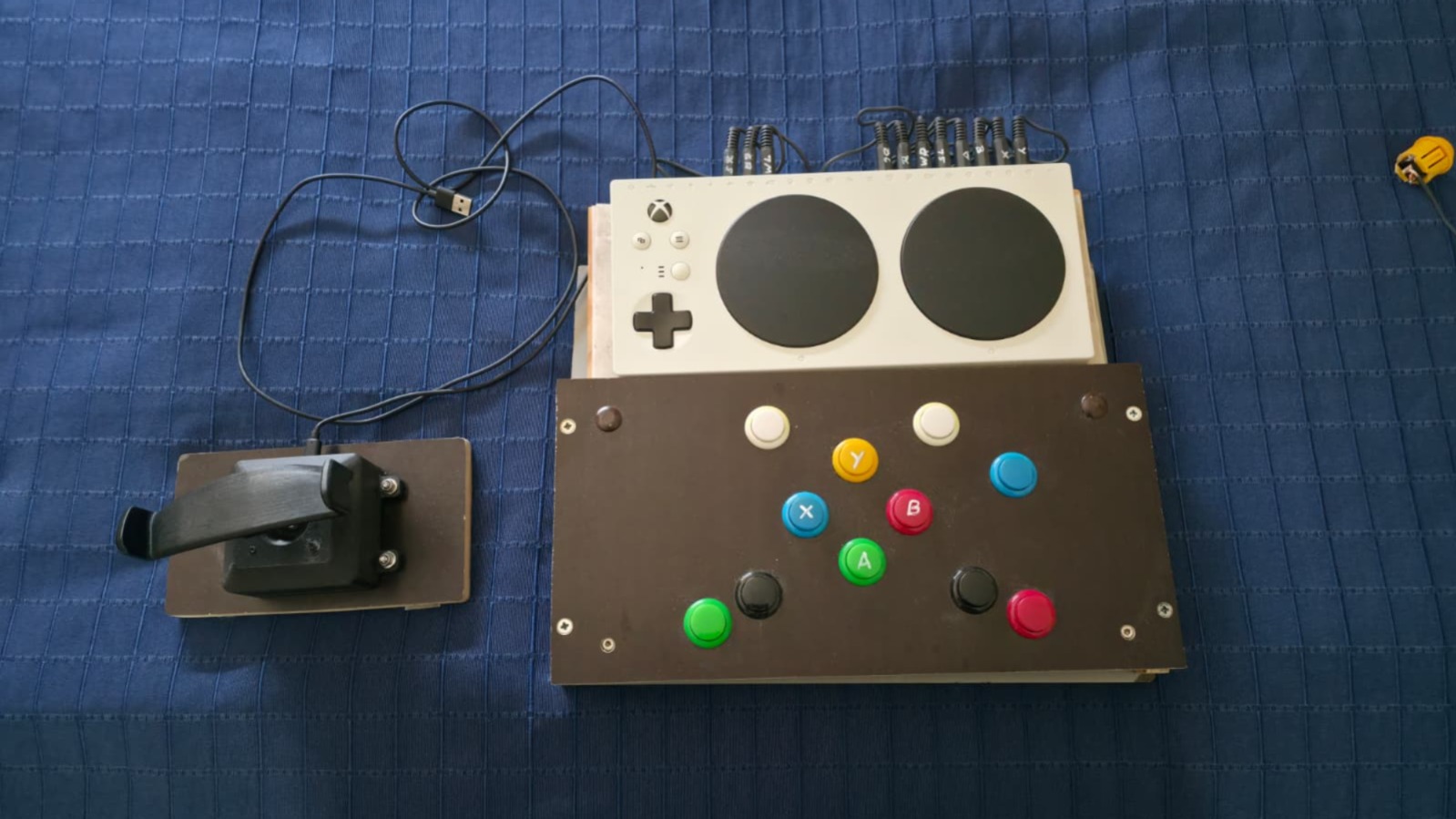
That one he’ll play on Xbox, since Sven uses the Xbox Adaptive Controller: the IntegraMouse AIR controls the left stick, a hand joystick the right one. For extra buttons, his father built him a custom box.

Sven's Xbox setup: Adaptive Controller, hand joystick and a custom-built button box